Introduction
Laptop overheating has become one of the most common problems among students, office workers, gamers, freelancers and content creators in Nepal. From sudden lagging and loud fan noise to automatic shutdowns, overheating can seriously affect your device’s speed, performance and overall lifespan.
Many users search for terms like “Laptop repair near me”, “PC repair Kathmandu” or “Best computer repair in Kathmandu” when their laptop starts heating excessively. In most cases, overheating happens because of dust buildup, blocked airflow, old thermal paste, heavy software usage or lack of regular laptop servicing.
Overheating should never be ignored because excessive heat can damage important hardware components like the processor, motherboard, battery and cooling fan. What starts as a small heating issue can eventually lead to expensive repair costs and permanent hardware damage.
The good news is that most overheating issues can be fixed early with proper computer service, regular maintenance and timely professional inspection.
In this blog, we’ll explain the common causes of overheating, warning signs, prevention tips, easy solutions and when to seek professional laptop repair services.
Why Laptop Overheating Problems Are Common
Several factors contribute to laptop heating problems, especially in devices used daily for gaming, office work, editing, online classes or multitasking. Most users do not realize that even small maintenance issues can gradually increase internal laptop temperature over time.
Common Causes Include:
Dust buildup inside cooling fan
Blocked air vents
Old thermal paste
Heavy gaming or software usage
Poor ventilation
Faulty cooling fan
Background applications running continuously
Lack of regular laptop servicing
These problems slowly reduce cooling efficiency and force the processor and graphics card to work at higher temperatures. As a result, the laptop becomes slower, louder and more unstable over time.
Common Laptop Overheating Problems
1. Dust Blocking the Cooling Fan
Dust buildup is one of the biggest reasons behind overheating laptops. Over time, dust enters through the air vents and gets trapped inside the cooling fan and heat sink system. This blocks airflow and prevents heat from escaping properly.
Signs:
Loud fan noise
Laptop becoming unusually hot
Slow performance
Fan running continuously
Causes:
Dust entering through air vents
Lack of cleaning
Long-term usage without servicing
Solutions:
Clean laptop vents regularly
Use compressed air carefully
Get professional laptop servicing
Regular computer service helps improve airflow, cooling performance, and overall laptop speed.
2. Old Thermal Paste Problem
Thermal paste is a heat-conducting material placed between the processor and cooling system. Its job is to transfer heat efficiently. However, after long usage, thermal paste dries out and loses effectiveness.
Once this happens, the processor temperature increases rapidly, especially during gaming or heavy multitasking.
Symptoms:
High CPU temperature
Sudden shutdowns
Gaming lag
Laptop heating quickly
Solution:
Professional thermal paste replacement can significantly reduce overheating issues and improve laptop performance.
3. Blocked Airflow
Proper airflow is extremely important for laptop cooling. Many users unknowingly block ventilation by using laptops on soft surfaces like beds, pillows or blankets.
When air vents are blocked, hot air cannot escape properly, causing the internal temperature to rise quickly.
Common Mistakes:
Using laptop on bed
Keeping laptop on pillows or blankets
Blocking side air vents
Solutions:
Always use laptops on flat surfaces
Use cooling pads or laptop stands
Maintain proper airflow around the device
Good ventilation helps maintain stable temperatures and reduces pressure on cooling fans.
4. Heavy Gaming & Software Usage
Gaming, editing software, streaming applications and multitasking increase CPU and GPU workload significantly. This naturally generates more heat inside the laptop.
High-performance laptops can still overheat if cooling systems are not maintained properly.
Common Activities:
Gaming
Video editing
Live streaming
Multitasking
Heavy browser usage
Warning Signs:
Lagging
Frame drops
Fan noise increasing
Laptop becoming extremely hot
Solutions:
Close unnecessary apps
Reduce graphics settings
Use cooling pads
Upgrade RAM if necessary
Managing software workload helps reduce excessive heat generation.
5. Cooling Fan Not Working Properly
The cooling fan plays a major role in maintaining laptop temperature. If the fan becomes damaged or stops spinning properly, heat cannot escape efficiently.
Signs:
Low airflow
Grinding fan noise
Frequent shutdowns
Rapid heating
Causes:
Dust damage
Fan motor failure
Loose internal connections
Solution:
Professional fan repair or replacement is recommended immediately to prevent hardware damage.
How Overheating Damages Your Laptop
Continuous overheating can damage major laptop components and reduce overall device lifespan.
Problems Caused by Overheating:
Reduced processor performance
Battery damage
Motherboard issues
Storage drive damage
System crashes
Shortened laptop lifespan
When laptops become too hot, the processor automatically slows itself down to protect internal hardware. This is called thermal throttling and often causes lagging and poor performance.
Ignoring overheating can eventually lead to expensive repairs or permanent component failure.
Signs Your Laptop Needs Servicing
Laptop overheating often gives warning signs before major damage happens. Identifying these symptoms early helps prevent costly repairs.
Common Warning Signs:
Laptop becoming too hot
Sudden shutdowns
Slow performance
Fan running loudly
Screen freezing
Battery draining quickly
Games crashing frequently
If you notice these issues regularly, professional laptop servicing is highly recommended.
Simple Laptop Overheating Prevention Tips
✔ Clean Laptop Regularly
Regular cleaning prevents dust accumulation inside cooling fans and vents. Internal cleaning improves airflow and helps the laptop maintain stable temperatures.
✔ Use Cooling Pads
Cooling pads improve ventilation and provide additional airflow during gaming, editing or long working sessions.
✔ Avoid Blocking Air Vents
Always place laptops on hard and flat surfaces to allow proper airflow through ventilation openings.
✔ Close Background Applications
Too many applications running in the background increase processor workload and generate unnecessary heat.
✔ Schedule Professional Laptop Servicing
Routine servicing helps identify overheating problems early before they damage important hardware components.
When Should You Contact Professionals?
Some overheating problems cannot be solved with basic cleaning alone. Professional diagnosis is necessary when internal components are damaged or cooling systems stop functioning properly.
You should contact experts if:
Laptop shuts down automatically
Overheating continues after cleaning
Fan noise becomes excessive
Gaming performance drops suddenly
Laptop becomes hot during normal use
Cooling fan stops working
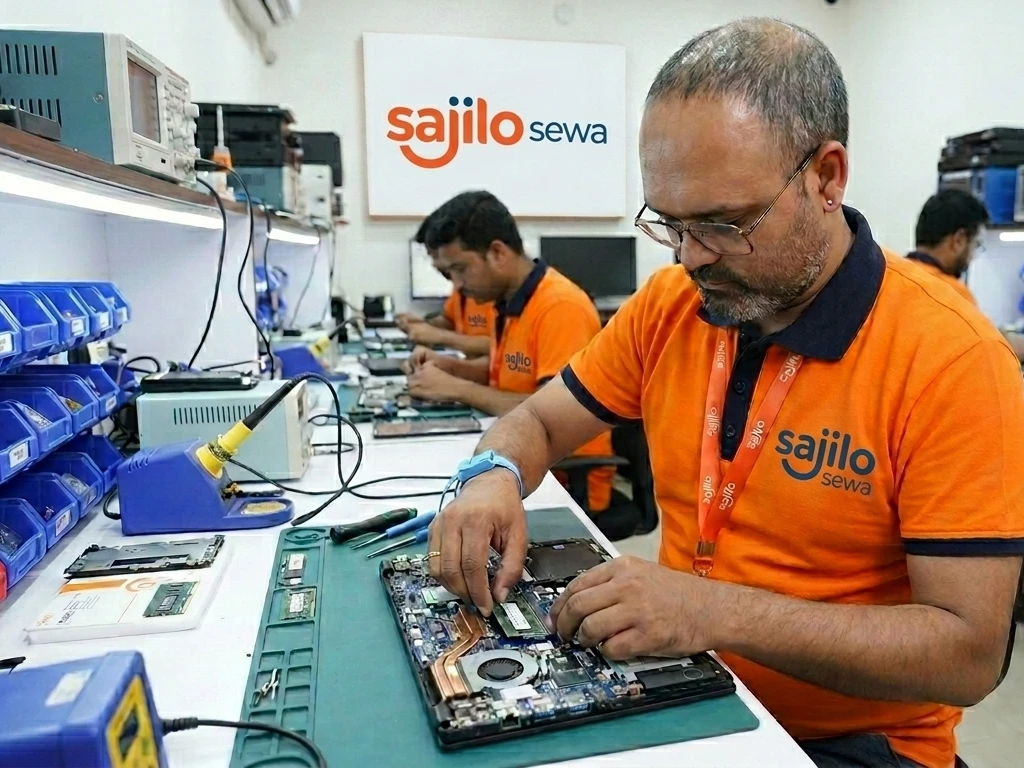
Professional computer repair home service can help diagnose hidden hardware problems quickly and safely.
Why Choose Sajilo Sewa for Laptop & Computer Repair?
Sajilo Sewa provides trusted computer service and laptop repair solutions across Nepal.
Our Services Include:
Laptop servicing
Computer service
Laptop overheating repair
Thermal paste replacement
Cooling fan cleaning
PC repair Kathmandu
Computer repair home service
Hardware diagnostics
Performance optimization
Why Customers Trust Us:
✅ Verified technicians
✅ Transparent pricing
✅ Fast response service
✅ Easy online booking
✅ Professional diagnosis
If you’re searching for “Laptop repair near me” or “Best computer repair in Kathmandu”, Sajilo Sewa provides reliable and professional support.
Easy Booking Through Sajilo App
With the Sajilo App, you can:
Book laptop servicing instantly
Choose preferred date & time
Apply promo codes
Use loyalty points
Track technician support
View service reviews
👉 Fast and hassle-free booking experience.
FAQ Section
1. What causes laptop overheating?
Dust buildup, blocked airflow, old thermal paste and heavy software usage are common causes.
2. Can overheating damage my laptop?
Yes, overheating can damage the battery, motherboard, processor and storage devices.
3. How do I fix laptop overheating problems?
Cleaning fans, improving airflow, replacing thermal paste and regular laptop servicing help fix overheating.
4. How often should I service my laptop?
Professional laptop servicing is recommended every 6–12 months.
5. Do cooling pads really work?
Yes, cooling pads improve airflow and help reduce laptop temperature.
6. Why does my gaming laptop overheat?
Gaming laptops generate high heat due to intensive CPU and GPU usage.
7. Can dust cause overheating?
Yes, dust blocks airflow and prevents proper cooling.
8. Do you provide computer repair home service?
Yes, Sajilo Sewa provides professional computer repair home service.
9. Where can I find the best computer repair in Kathmandu?
Sajilo Sewa offers trusted PC repair Kathmandu and laptop servicing solutions.
10. Where can I repair an overheating laptop near me?
You can contact Sajilo Sewa for reliable laptop repair and servicing in Nepal.
Final Words
Laptop overheating problems should never be ignored. From dust buildup and blocked airflow to cooling fan failure and thermal paste issues, timely maintenance is essential for keeping your laptop fast, safe and reliable.
Regular computer service and laptop servicing not only improve performance but also help prevent expensive future repairs. Proper cleaning, airflow management and professional inspection can significantly extend your laptop’s lifespan and maintain smooth performance.
If you’re searching for trusted “Laptop repair near me”, “PC repair Kathmandu”, or “Best computer repair in Kathmandu”, choose Sajilo Sewa for professional diagnosis, repair and long-term solutions.
The Sajilo Editorial team is made up of our service leads, project managers, and customer experience folks. We write to make home-running less stressful.
See all 175 articles